📚 Using the Template Library
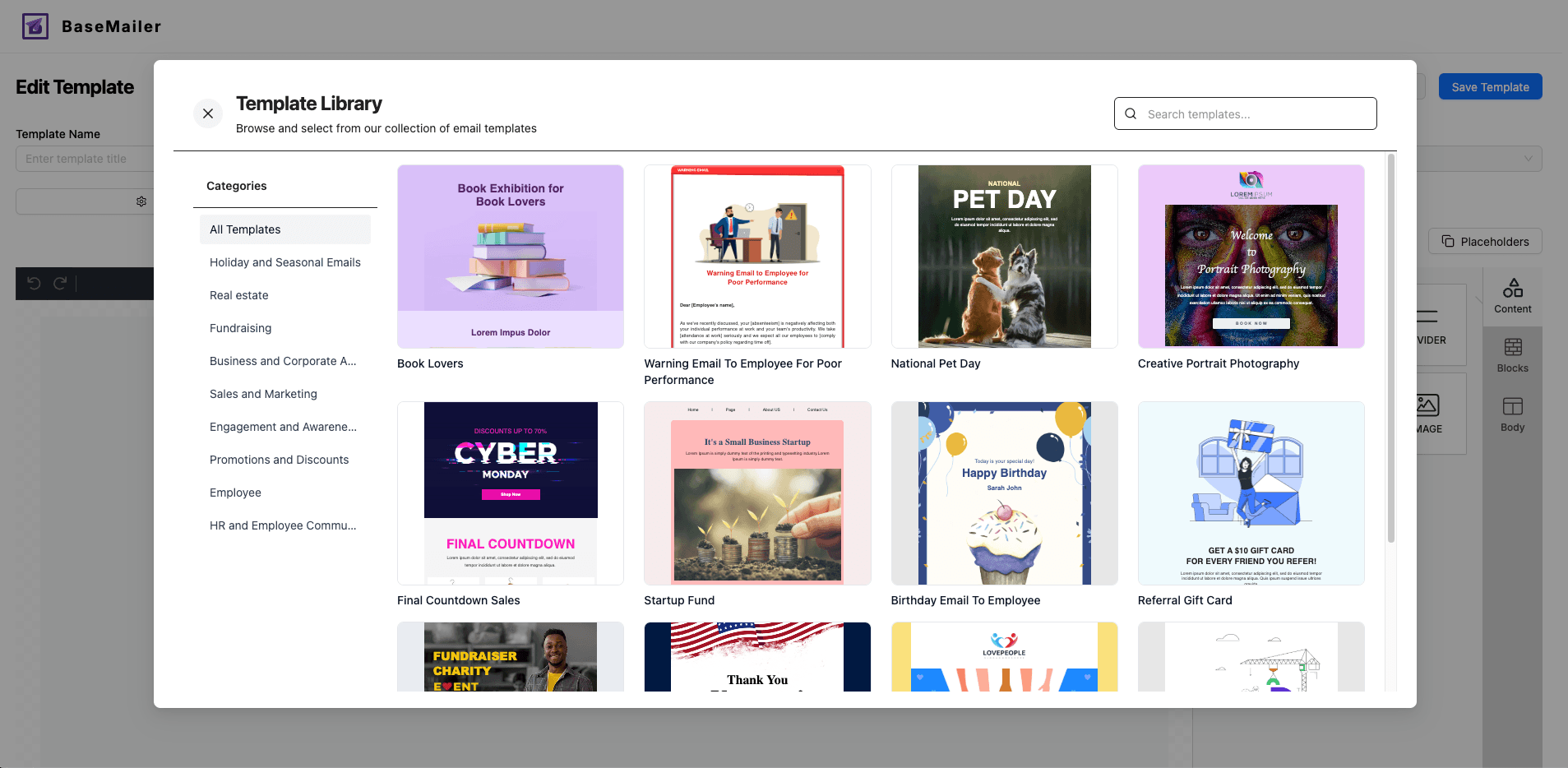
BaseMailer now includes a built-in Template Library, making it faster than ever to start sending beautiful emails. No need to start from scratch.
Whether you’re sending a newsletter, product update, welcome sequence, or internal reminder, you’ll find a layout that fits.
✨ Key Benefits
- Pre-built designs: Newsletters, follow-ups, onboarding, promos, and more
- One-click import: Choose a template and start editing instantly
- Fully customizable: Change text, layout, images, and colors
- Responsive by default: All templates look great on mobile and desktop
- Saves time: Get started in minutes instead of hours
🚀 How to Use the Template Library
- Open BaseMailer and go to the Templates tab
- Click Create New Template
- In the top right corner of the editor, click Browse Templates
- Browse the library and choose a layout that fits your need
- Once imported, customize the content with your own text, merge tags, images, and branding
- Save and use it in your next campaign
💡 Pro Tips
- You can edit any section of the template using the drag-and-drop builder
- Add dynamic content using merge tags like
{{First Name}}to personalize emails - Save edited templates for reuse in future campaigns
- Combine with Email Scheduling and Automation for powerful workflows
Want full control? You can always start from a blank template if you prefer building from scratch.
Last updated on